All releases
· Release

Learners upload their own paper forms

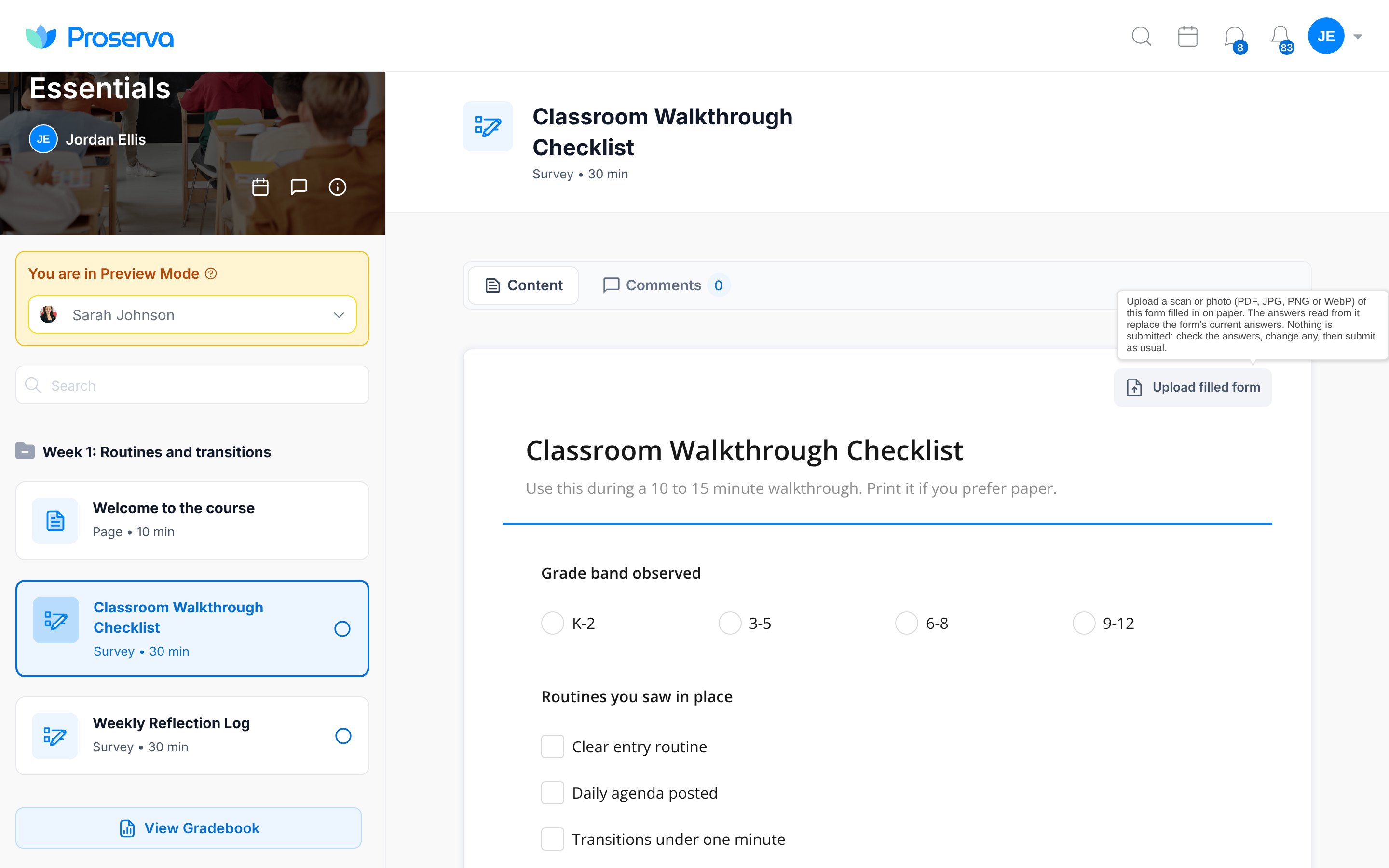
Learners can now upload a scan or photo of a form they filled in on paper. Proserva AI reads it and fills the answers into the form for them to check, change and submit. Nothing is submitted for them.

Courses & PD

Learners upload their own paper forms

Learners can now upload a scan or photo of a form they filled in on paper. Proserva AI reads it and fills the answers into the form for them to check, change and submit. Nothing is submitted for them.

  • Works with PDF, JPG, PNG and WebP files
  • If the learner moves to another lesson while it reads, nothing is filled in
  • Replaces the staff paper review, so instructors no longer retype or confirm answers

Everyone with courses.

From the Nov 19 release
Also in this release

  • Improved
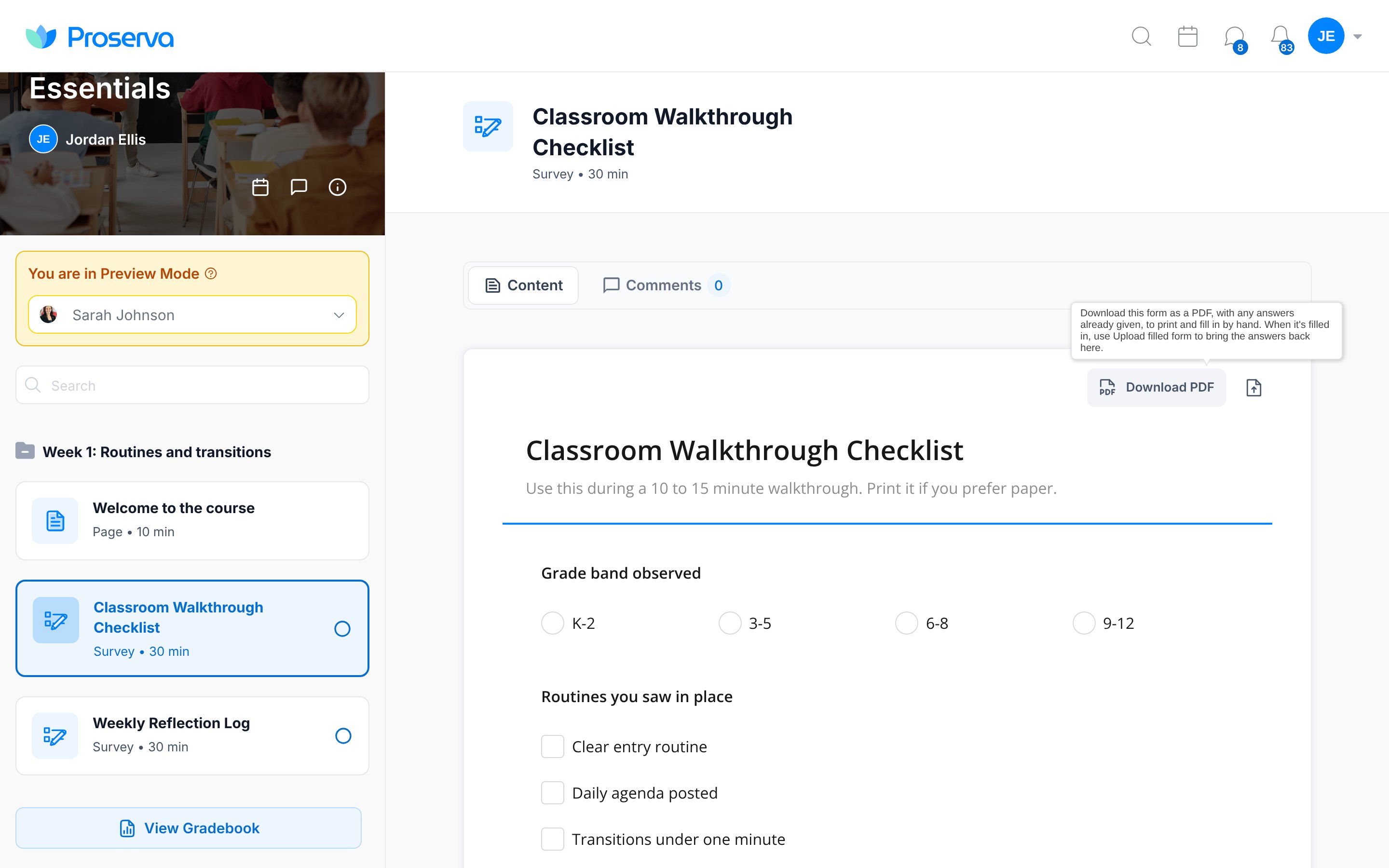
    A clearer Download PDF button on form lessonsForm lessons now have a labelled Download PDF button. The PDF includes any answers already given, so learners can print it, fill it in by hand and upload it back.
  • Improved
    Blank PDFs download straight awayBlank PDF in the form preview now downloads the empty form in one click, and each printed page shows its page number.

Part of the November round-up